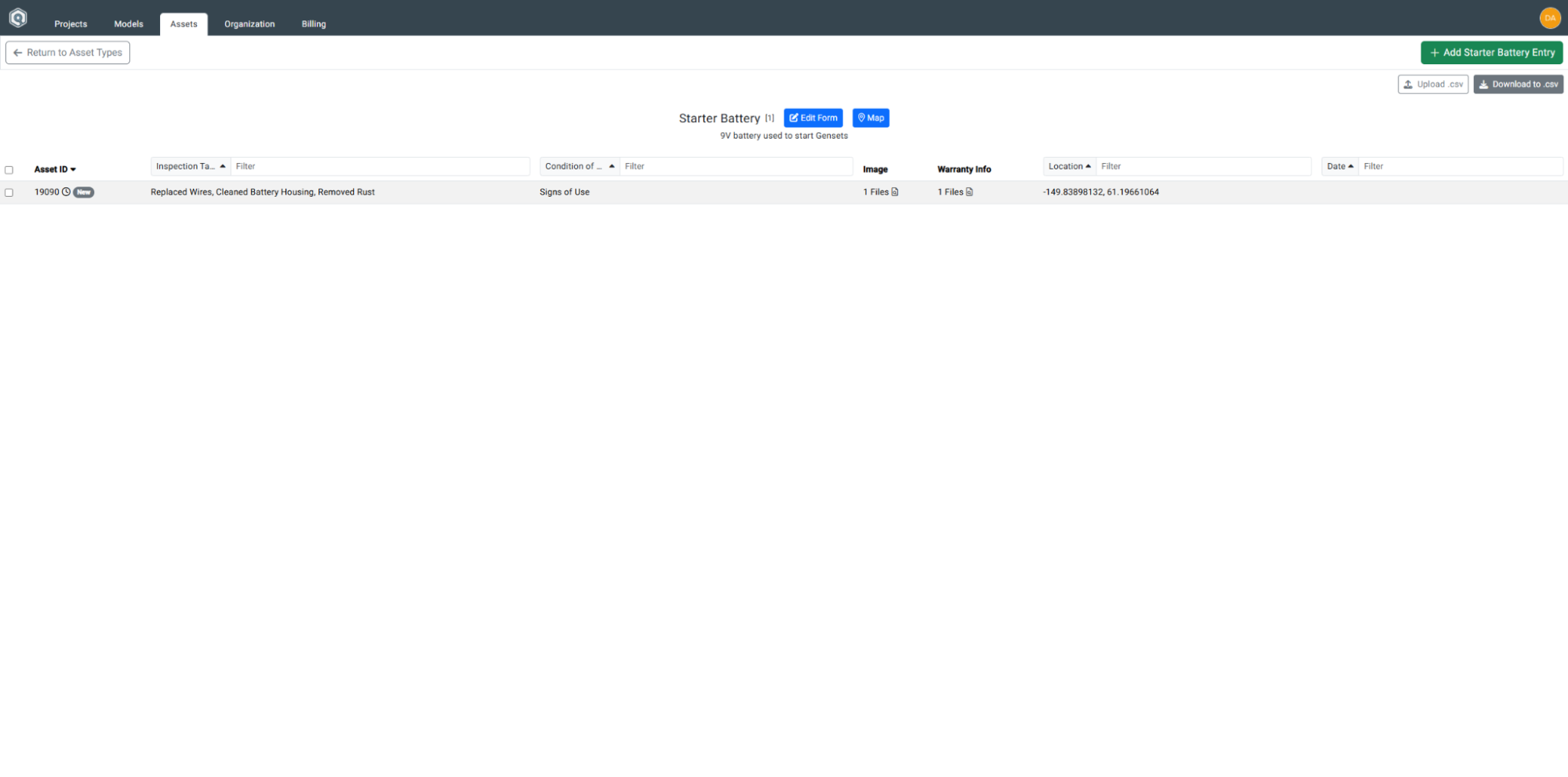
Adding an Asset Entry
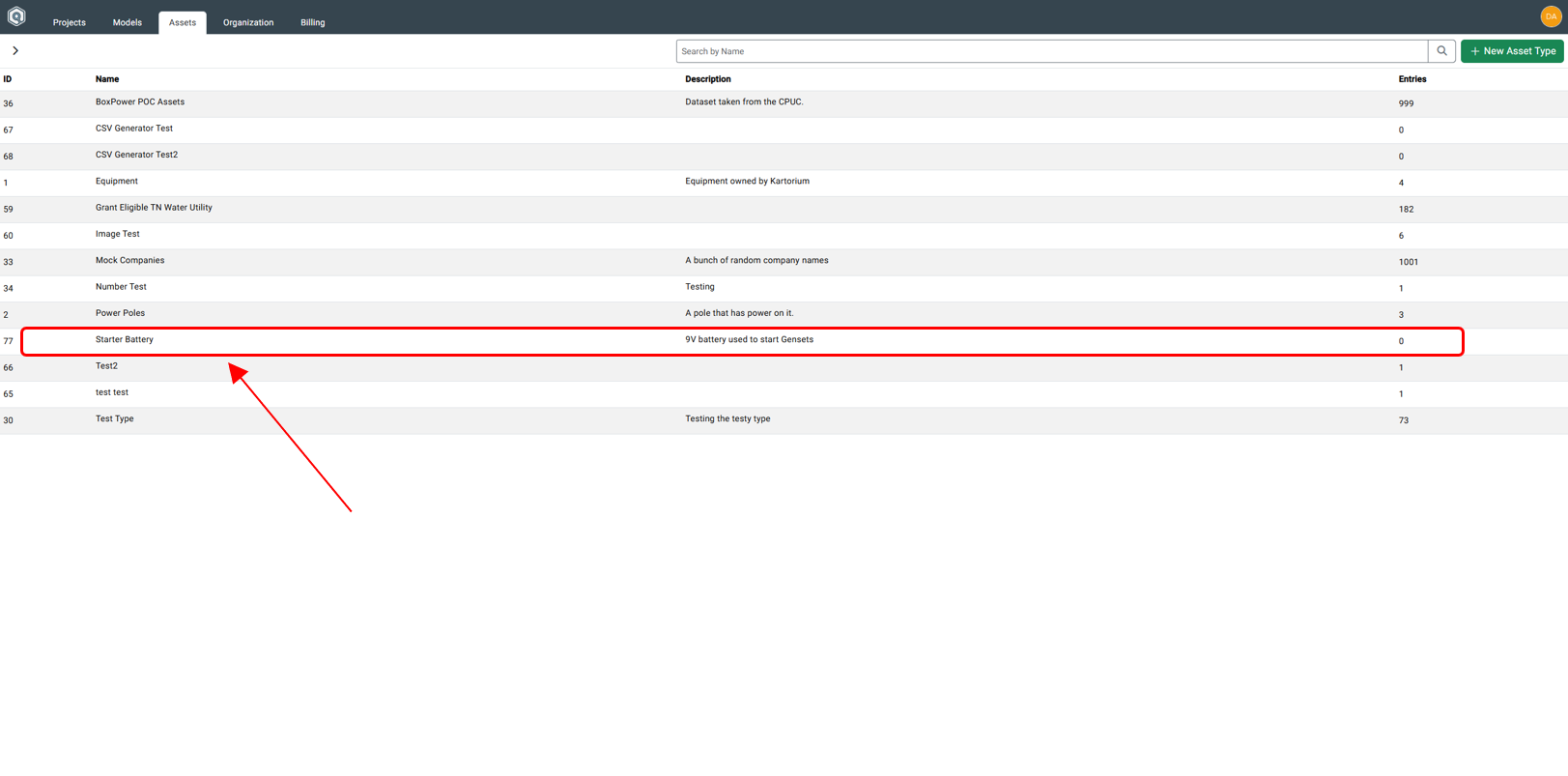
Step 1: Click Asset Type
Click on the Asset Type that corresponds with the next asset entry.
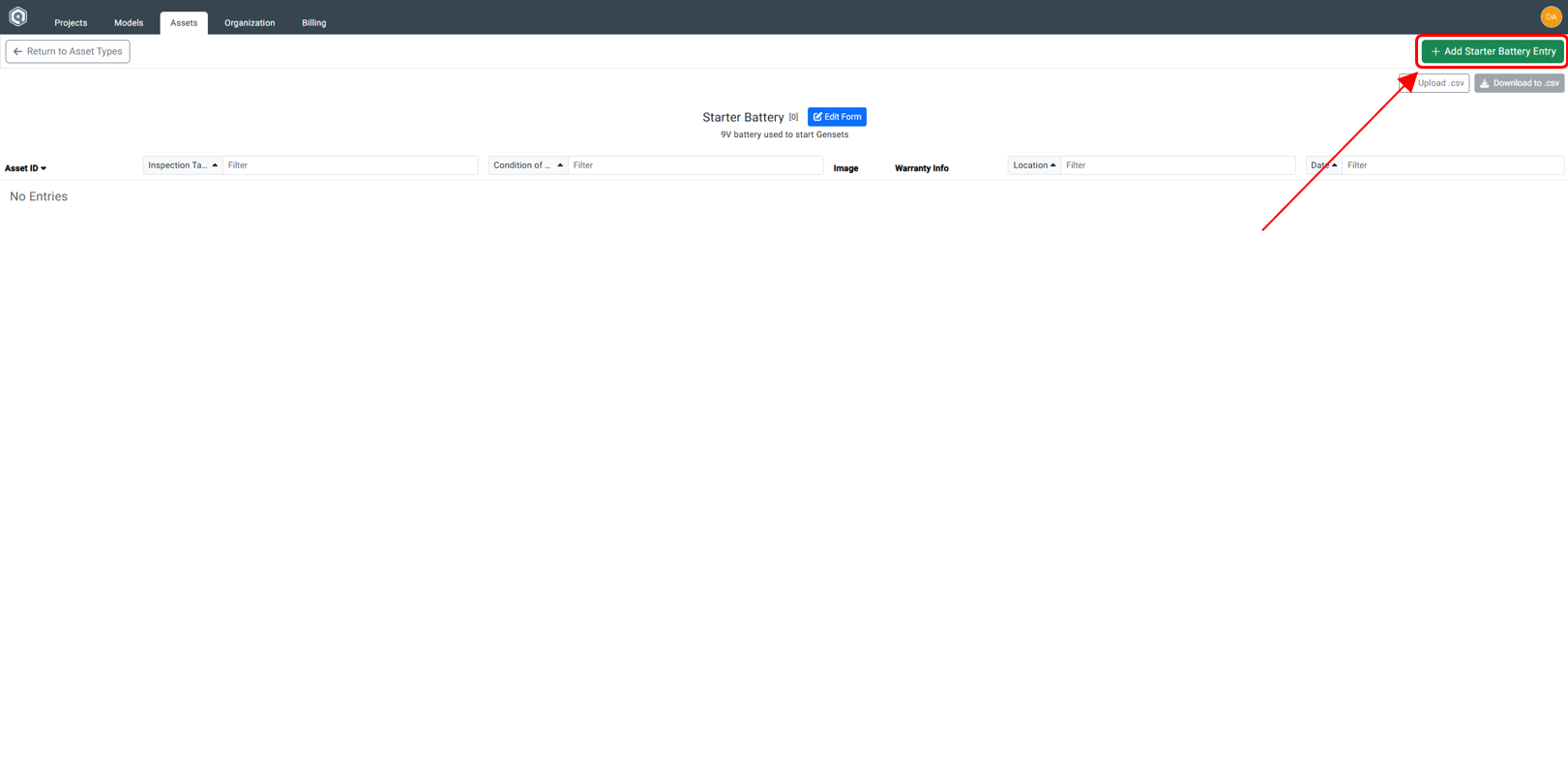
Step 2: Click Add Entry Button
Click on the + Add Entry button.
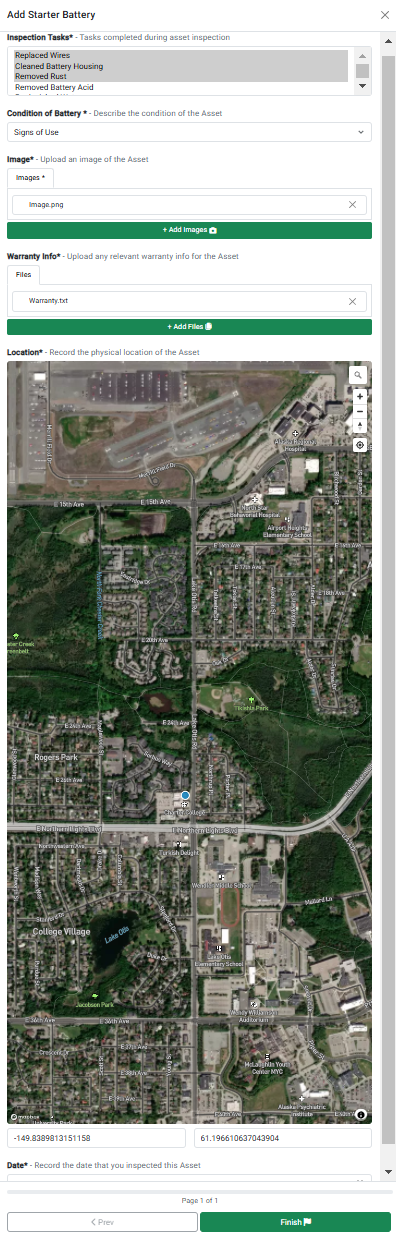
Step 3: Fill Out Fields in Dialog Box
Inside the Add Asset Dialog Box, fill out the fields.
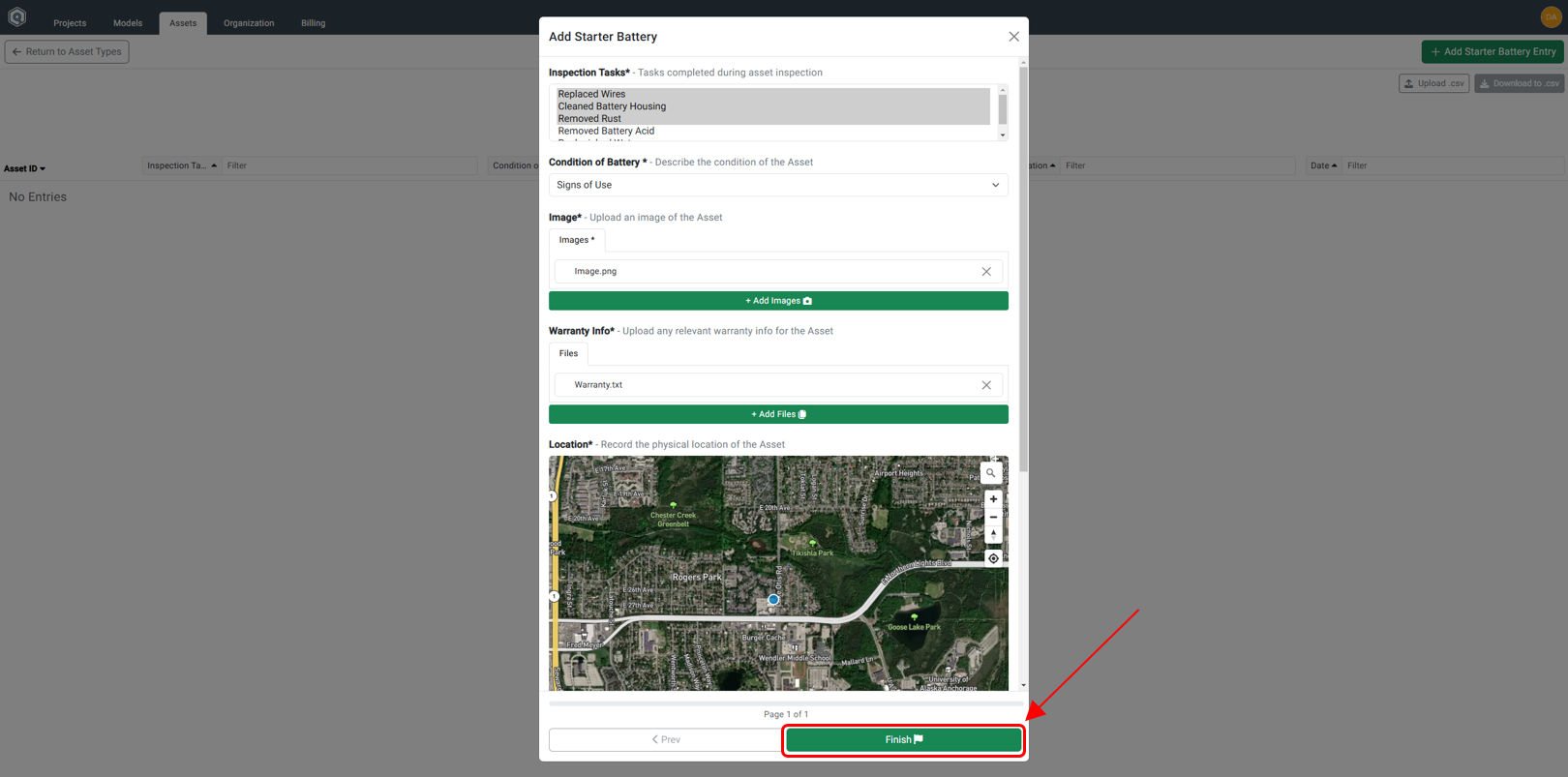
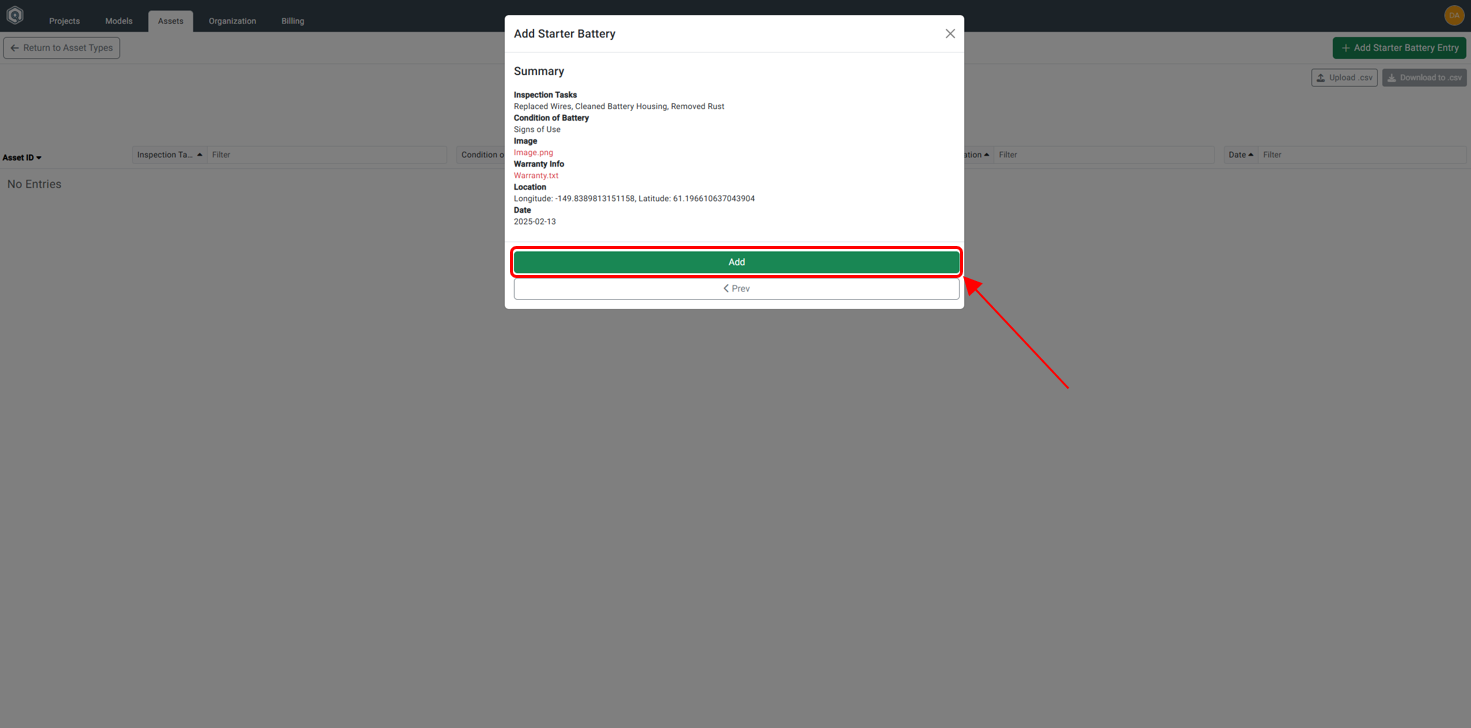
Step 4: Review and Click Add
After reviewing, click the Add button.
Step 5A: Confirmation of Asset Creation
A dialog box will appear indicating the asset is being created.
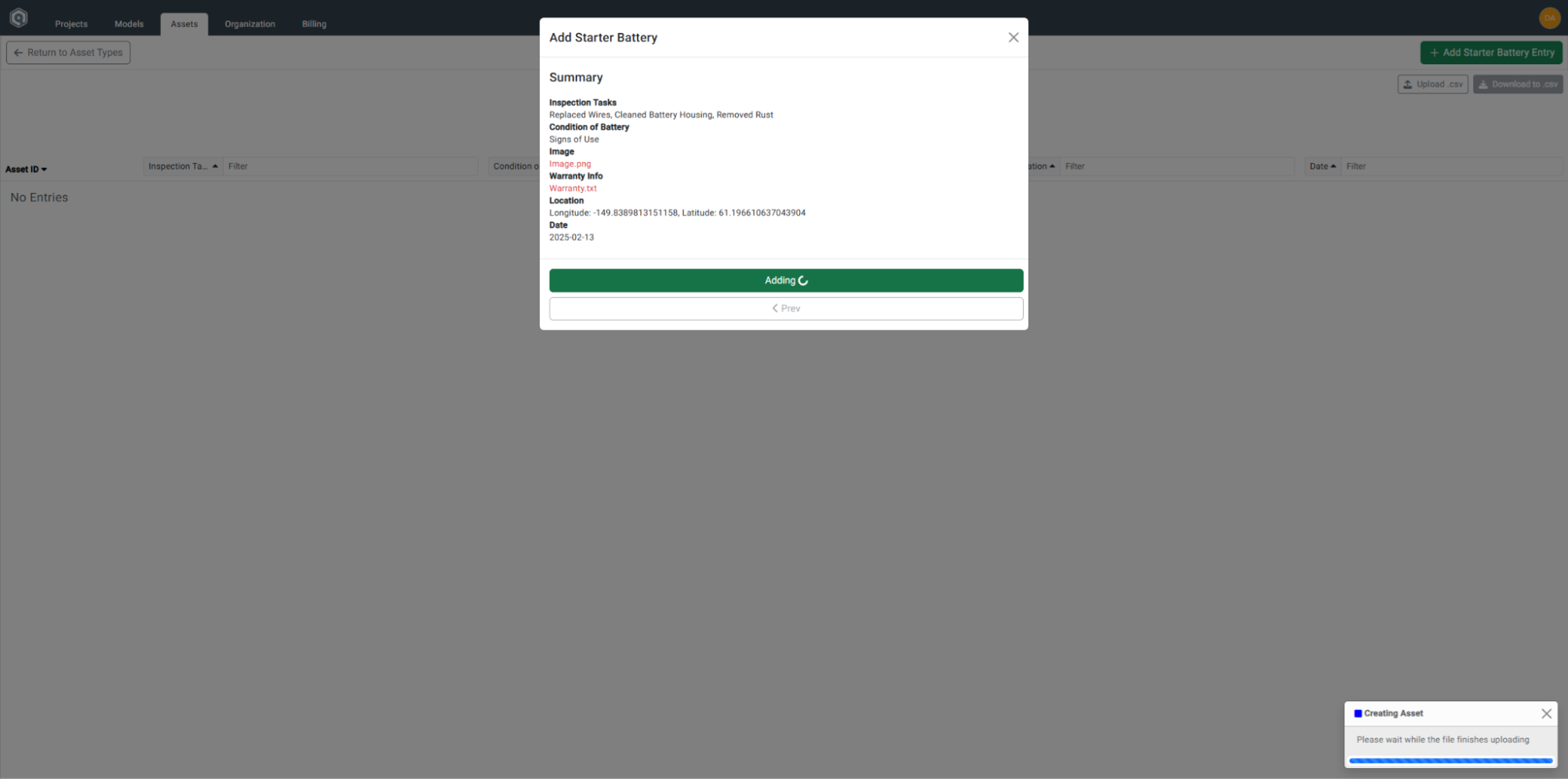
Shortly after, a success message will appear.
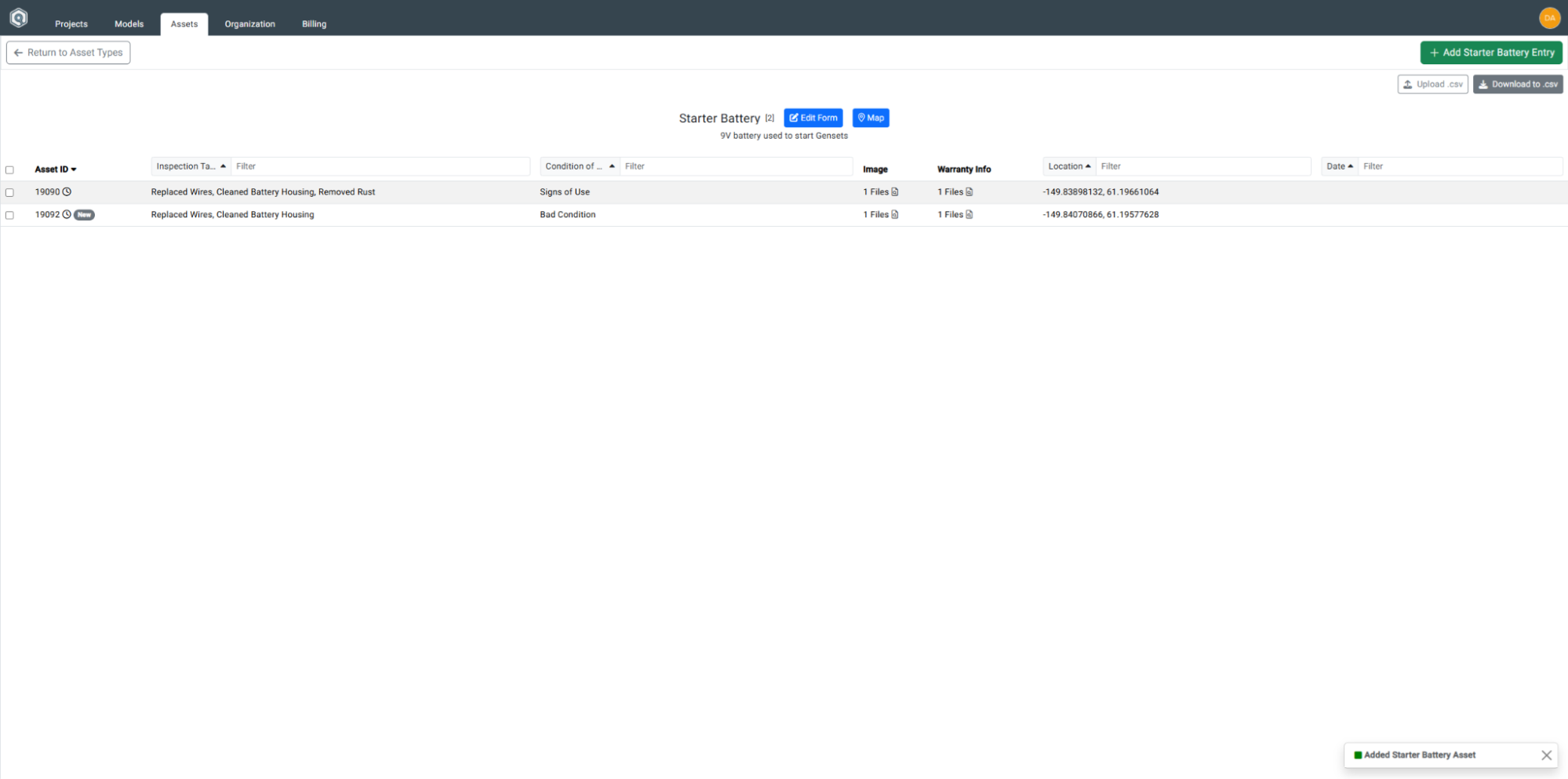
Step 6: View Asset in Manager
View the newly created asset in the Asset Manager.